Performance Guide
Every number here was measured on a phone, not estimated and not taken from an editor.
What it costs
Section titled “What it costs”Galaxy S20 FE (Adreno 650, the same GPU as a Quest 2), 1080p, MSAA 4x, in a busy scene, Unity 6. The Performance mode rows need Unity 6 (URP 17): on Unity 2022.3 (URP 14) the package runs in Compatibility mode, so the Compatibility rows are the 2022.3 numbers. Milliseconds added per frame:
| One layer | Four layers | |
|---|---|---|
| Performance mode | 4.5 ms | 5.3 ms |
| Compatibility mode | 18.3 ms | 20.2 ms |
Galaxy A53 (Mali-G68), a slower phone, same scene and settings:
| One layer | Four layers | |
|---|---|---|
| Performance mode | 3.9 ms | 5.2 ms |
| Compatibility mode | 41.1 ms | 44.5 ms |
Every Performance mode result on the S20 FE held a steady 60 fps, including four layers with MSAA 4x.
The two phones differ by almost a factor of two in how fast they draw the scene itself, yet the outline adds about the same on both. These numbers travel well: expect something in this range on most phones of this generation, not a cost that scales with how slow the device is.
The difference between the two modes is not the outline doing more work. See Rendering Modes for which one to use.
What makes it cost more, and what does not
Section titled “What makes it cost more, and what does not”Almost all of the cost is fixed per frame. Only one part of it grows:
| Effect on cost | |
|---|---|
| Number of outlined objects | Each one is drawn once more with a very cheap shader. Around 0.3 to 1.0 ms for 120 objects. This is the only part that grows, and Pro Mode removes it. |
| Outline width | None. A 16 pixel outline costs what a 2 pixel one costs. |
| Softness | None. |
| Number of layers | Going from one layer to four costs about 0.9 ms on the S20 FE, 1.3 ms on the A53. |
| How much of the screen your outlined objects cover | This is the one that matters. See below. |
Cost follows the area your outlined objects cover
Section titled “Cost follows the area your outlined objects cover”The outline only works on the part of the screen your outlined objects occupy, plus a margin for the outline’s own width. A typical selection highlight covers 5 to 15% of the screen instead of all of it.
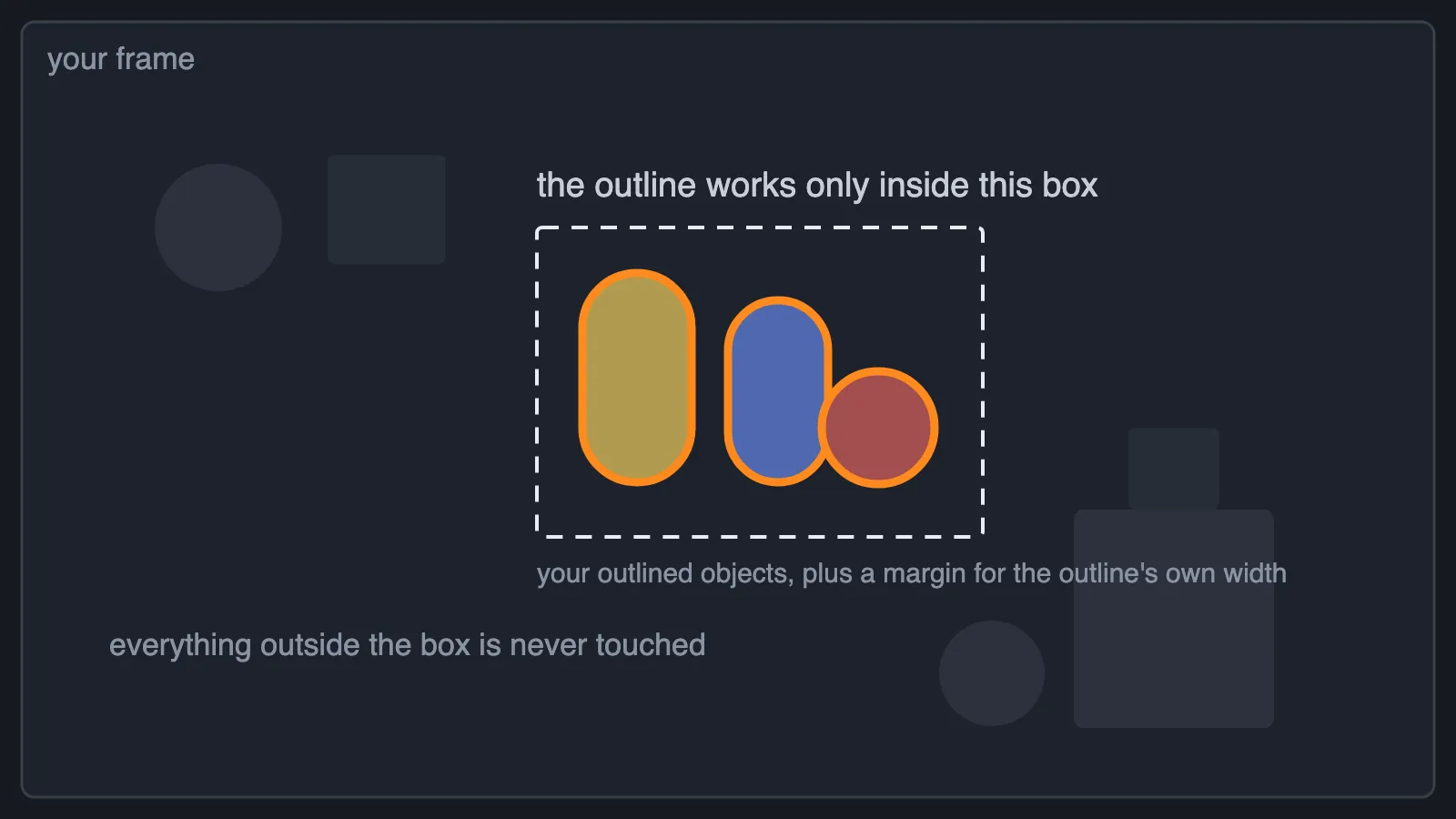
Measured on an S20 FE with two outlined objects taking up 6.7% of the screen, MSAA 4x:
| Cost | |
|---|---|
| Whole screen | 3.9 ms |
| Just the outlined area | 1.8 ms |
That is 54% of the outline’s cost removed, and it is on by default. It never changes what the outline looks like.
It switches itself off, and works on the whole screen instead, when your outlined objects
cover most of the screen anyway, in VR, and when an outlined object is partly behind the
camera. OutlineZeroFeature.ScissorActive tells you which frames did that, and
ScissorCancelReason tells you why.
What this means for your game: a few outlined objects in one part of the screen is the cheap case. Outlining something that fills the screen is the expensive one. The number of objects barely matters; the area they cover does.
Settings that make a difference
Section titled “Settings that make a difference”- Rendering Mode: Performance. By far the biggest one on phones and headsets.
- Downscale: 2 (the default). The outline is built at half resolution and looks the same. Downscale 1 costs four times as much for no visible gain in most scenes.
- MSAA. With MSAA off the outline is cheap in either mode.
- Turn off URP’s Opaque Texture and Depth Texture if nothing else in your project needs them. This package never does, and both are expensive on mobile.
One limit worth knowing
Section titled “One limit worth knowing”Objects drawn by Entities Graphics or Unity 6’s GPU Resident Drawer cannot be outlined automatically. Pro Mode handles them, and the project validator warns you when it sees the GPU Resident Drawer turned on.
How these numbers were measured
Section titled “How these numbers were measured”- On real phones, from a release build, not in the editor.
- Each stage of the outline was measured on its own by switching the later ones off, so the cost of each is a real measurement rather than a share of a total.
- Two runs per configuration, interleaved, and the two are compared before any number is quoted. A configuration whose two runs disagree is treated as drift and not published.
- Compare numbers only within one table. Phones get slower as they get hot: the same configuration measured 2.9 ms hot and 1.4 ms cool. Each table here was captured in one session; tables from different sessions are not comparable.
Why the test scene is deliberately overloaded
Section titled “Why the test scene is deliberately overloaded”Every number above is a subtraction: the same frame with the outline, minus that frame without it. That subtraction is only honest if the GPU is busy for the whole frame, and getting it there takes two steps.
First, nothing is allowed to make the GPU wait. A phone normally paces frames to the display, so a GPU that finishes its work early then sits idle until the frame is due. The timer cannot tell that idle apart from work, so it reports the wait as part of the cost. The cheapest frame has the most idle in it, so it is flattered the most, and the gap between “with outline” and “without outline” reads smaller than it really is. These runs therefore have vsync off, no frame rate limit, and Android’s frame pacing turned off.
Second, the scene is loaded up until the GPU is the slowest part of the frame. Removing the frame rate limit is not enough on its own. If the CPU became the slower half, the GPU would go back to waiting on it and the same distortion returns. The test scene stacks about twenty layers of overlapping geometry on top of each other, which puts the GPU comfortably in front, so what gets timed is GPU work and nothing else. It has a second benefit: a phone with little to do lowers its GPU clock to save battery, and a scene this heavy keeps the clock up and steady for the whole run.
A heavy scene is also the fairer place to measure. It is much closer to a real game frame than an empty test scene, and it is the situation where the outline’s cost actually matters to you.
The editor’s Game view is not a benchmark. Vsync, editor overhead and a desktop GPU all distort it, so use it to see the shape of a change rather than its size, and measure on the device you ship on.