Layers
A layer is an outline style. There are four of them, and every outlined object picks one.
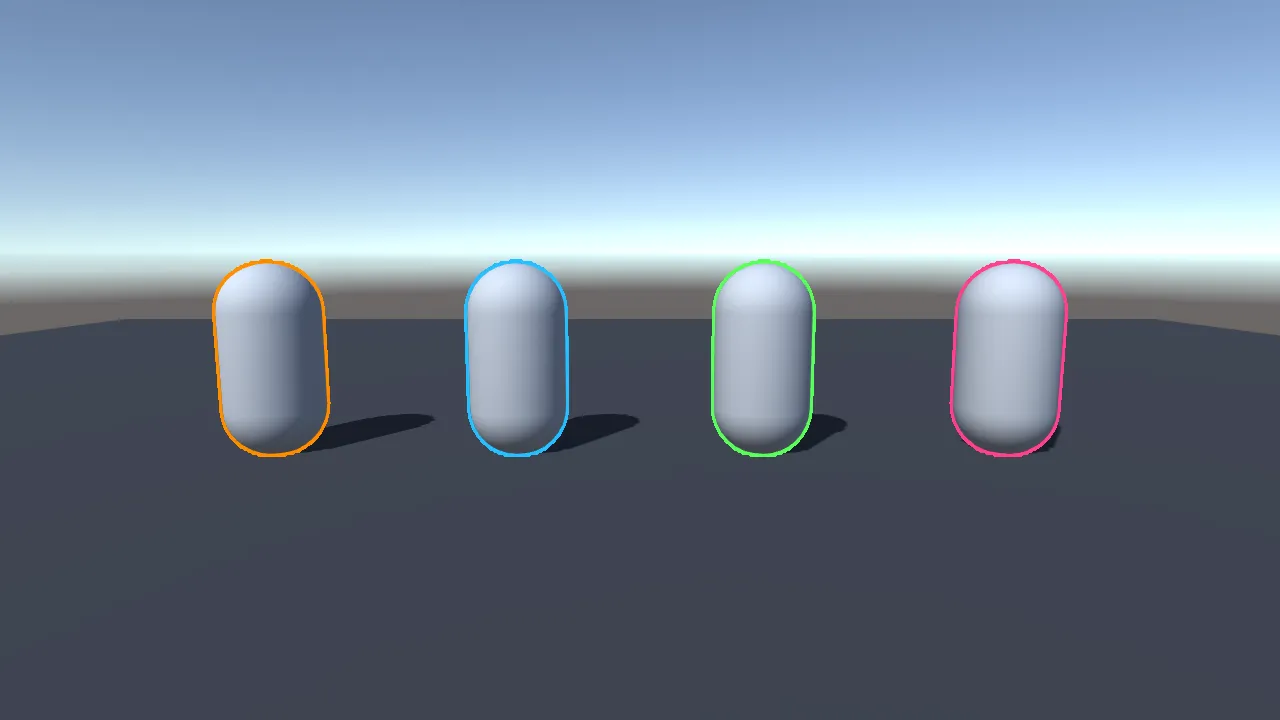
Four is a fixed limit. It is also the reason four different outline styles on screen cost about what one costs.
What a layer holds
Section titled “What a layer holds”| Enabled | Turn a layer off and its objects stop being outlined. It costs nothing while off. |
| Color | HDR colors are allowed. The alpha makes the outline see-through. |
| Width | 1 to 16 pixels. |
| Softness | 0 is a crisp edge, 1 fades out completely. |
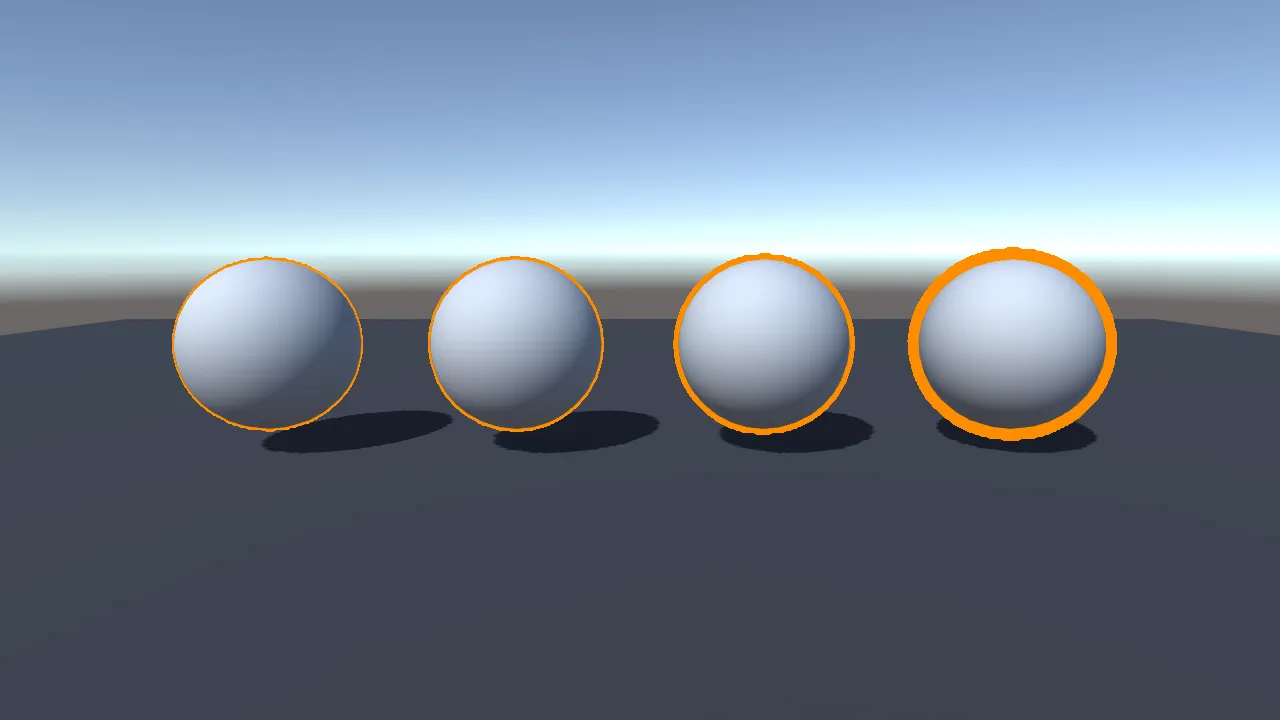
Width is measured at a 1080p screen height and scaled to whatever the player’s screen is, so an outline you tuned on your monitor looks the same on a phone. If you want the number to mean literal pixels instead, turn off Reference Resolution in the settings.
Thicker outlines are not more expensive, and four layers at four different widths cost what one layer costs.
Softness
Section titled “Softness”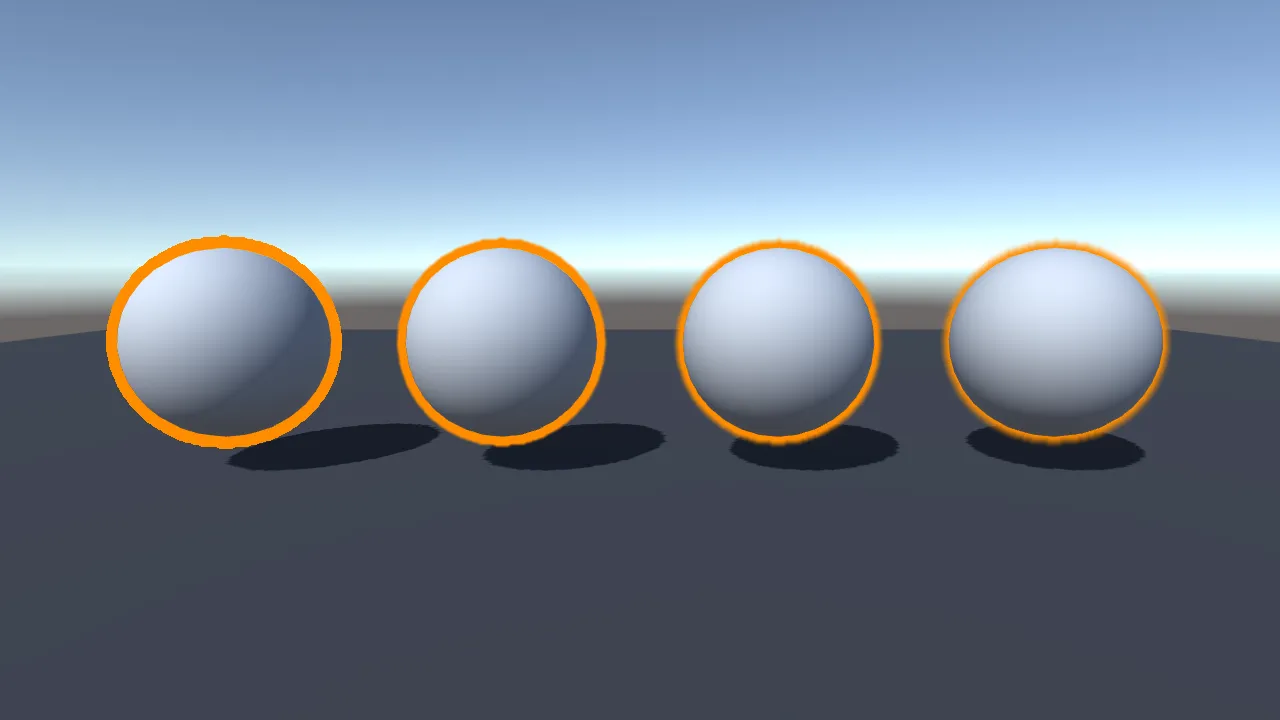
Softness fades the outer edge while keeping a solid core, so even a fully soft outline still reads as an outline rather than a glow. It is free.
When two outlines overlap, the higher layer wins
Section titled “When two outlines overlap, the higher layer wins”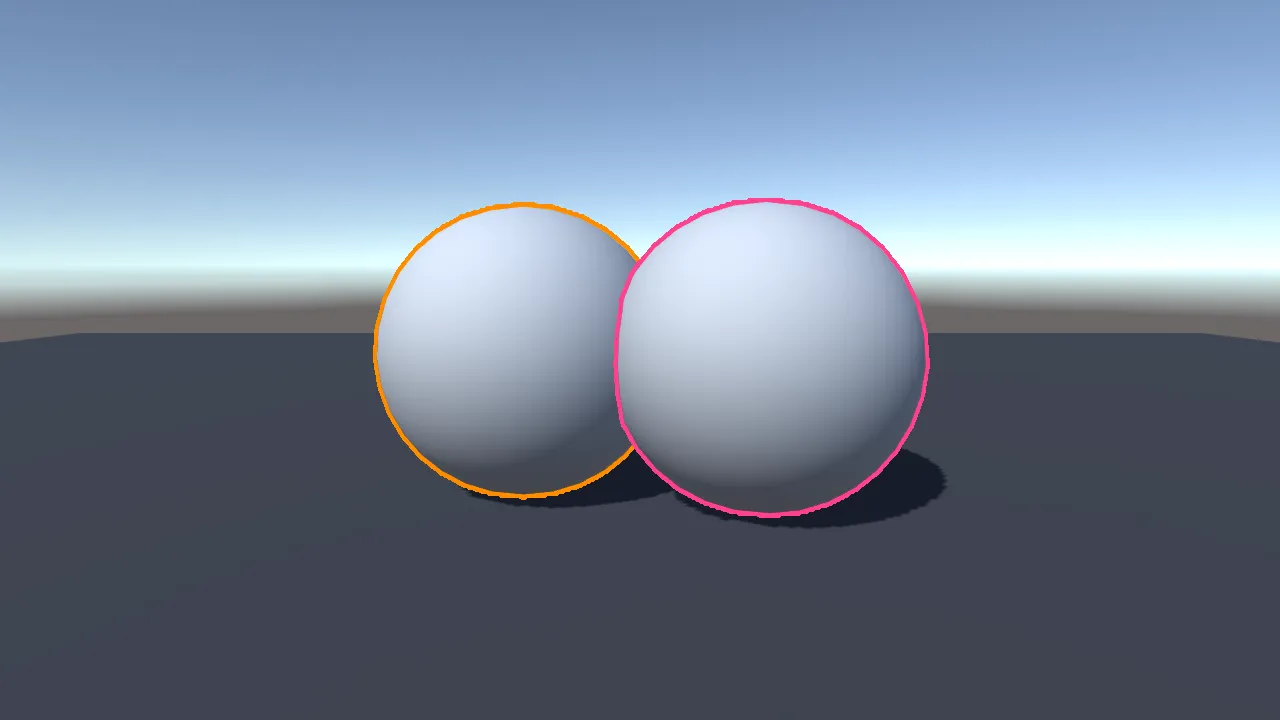
Layer 4 draws in front of layer 3, which draws in front of layer 2, and so on. A higher layer’s outline runs unbroken across a lower layer’s object.
That is the rule to design around: put the thing that must always stand out, such as the selected unit or the quest target, on layer 4.
Outlining through walls
Section titled “Outlining through walls”Each object chooses this for itself, whatever layer it is on.
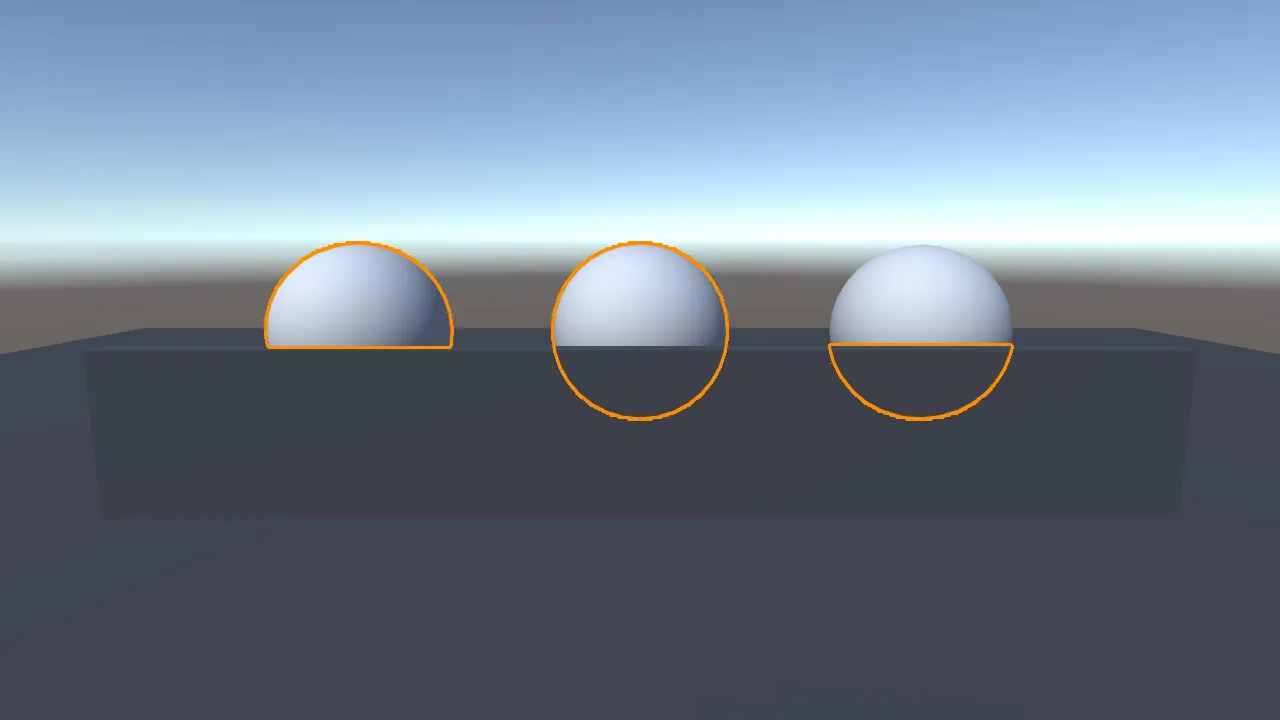
| Mode | What you get |
|---|---|
| Visible Only (default) | Only the part of the object the camera can actually see. |
| Always | The whole shape, through walls. The classic x-ray highlight. |
| Occluded Only | Only the hidden part. Good for a “it is behind this wall” marker that disappears once you can see the thing. |
All three cost the same.
One thing to expect from Occluded Only: an object can hide parts of itself, and those parts are hidden parts too, so they get an outline. A teapot picks up an edge where its spout and handle cross its own body, and a face picks up one around its eye sockets. That is the mode doing what it was asked. Rounded, solid shapes give a single clean edge.
Outlines and transparent objects
Section titled “Outlines and transparent objects”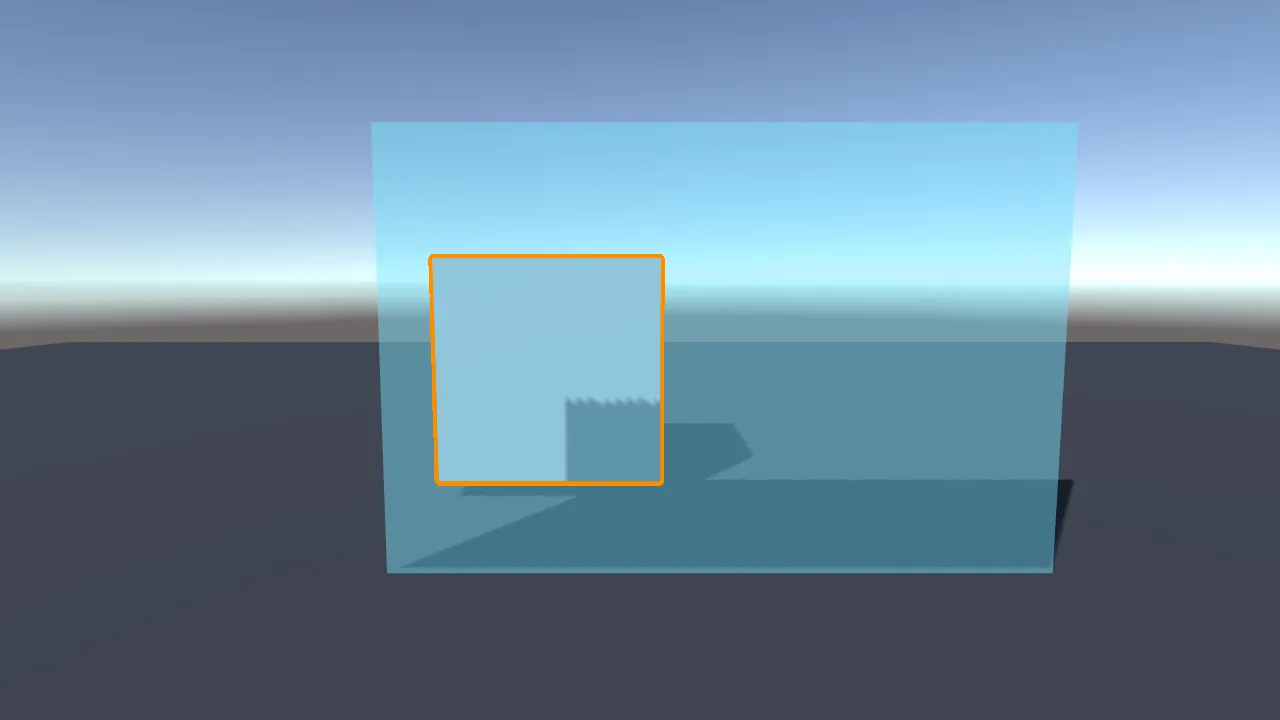
The outline draws on top of transparent objects, so a highlighted object stays readable through smoke, glass or fog. This is not configurable in this version.
Transparent objects cannot be outlined themselves. If you need one outlined, give it an
invisible solid stand-in mesh and put the Outlined component on that.
One limitation worth knowing
Section titled “One limitation worth knowing”Very thin shapes can take the color of a neighbouring layer: a rope, a distant railing, the tip of a spike. It only affects pixels the object never fully covers, and such a pixel can only ever take the color of a layer something else on screen is already using.
In a scene built on purpose to trigger it, this affected 1.57% of the outlined pixels. In an ordinary scene, 0.02%. If you see it on thin objects, keep Downscale at 1 or 2.